
Drone Frame CAD Drawing Generator
Describe arm geometry, motor patterns, plate spacing, electronics mounting, and payload interfaces to create a CAD-style drone frame image for layout discussions and concept presentations.
Tulos: CAD -tyylinen PNG · Ei muokattava CAD -tiedosto
How to generate a drone frame drawing
Drone frame drawing prompts
Explore plate, sandwich, folding, and multi-rotor structures, then adapt the span and component interfaces.
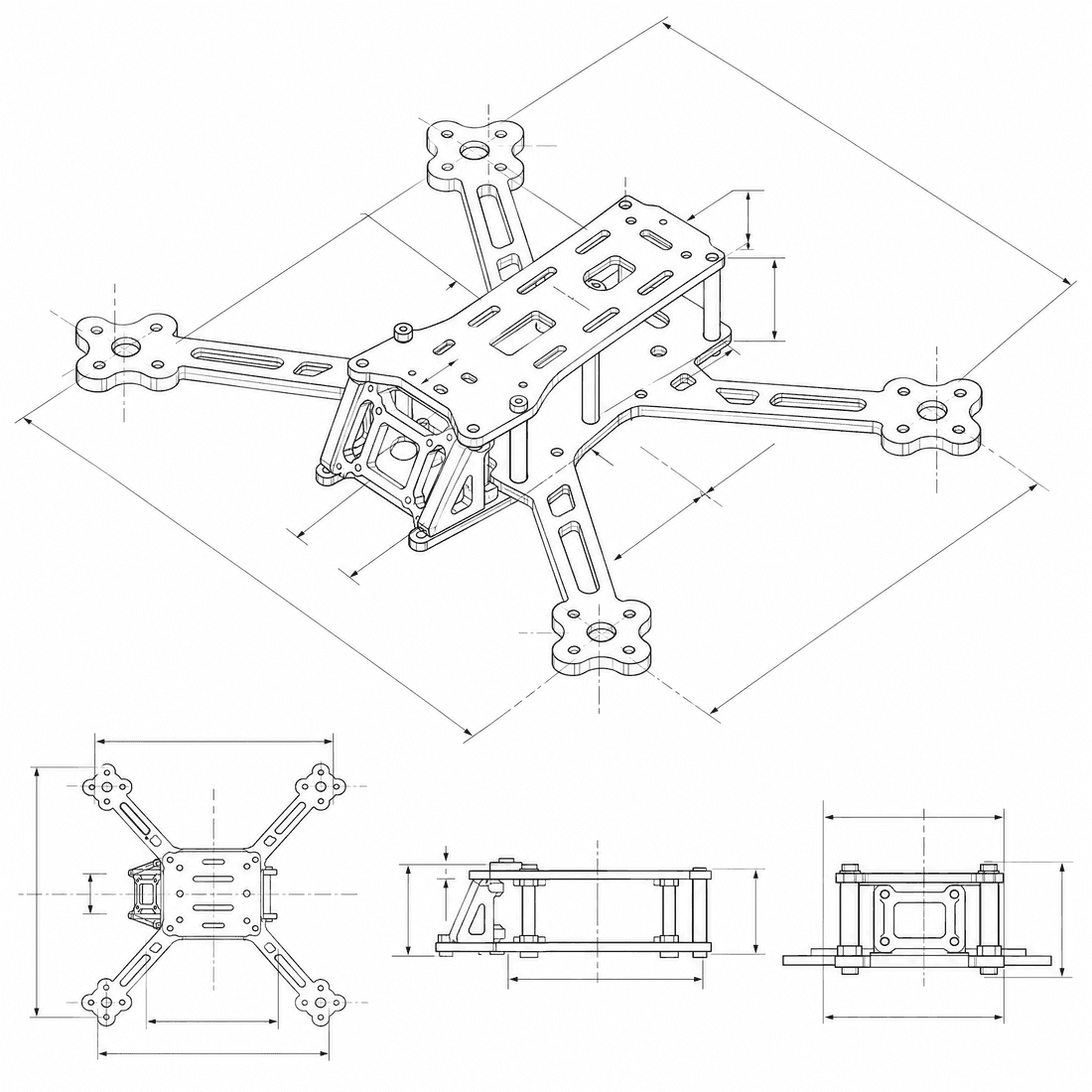 Frame layout: x-quadMotor-to-motor wheelbase: 250mmMotor mounting pattern: 16x19-m3Arm and plate construction: carbon-platePrimary plate thickness: 3mm
Concept dimensions guide the prompt and visual only; they are not manufacturable CAD geometry or production drawings.
Configure a drone frame drawing
More parameters
Luotu kehote
Create a dimensioned CAD-style technical drawing of a multirotor drone frame, with a symmetric top view, assembled isometric view, plate-stack detail, motor patterns, electronics interfaces, and cable clearances. symmetric true-X quadcopter layout with four equal-length arms. Motor-to-motor wheelbase: 250mm. four M3 motor holes on a 16 by 19 mm rectangular pattern with a 10 mm center clearance hole. CNC-cut carbon-fiber plate construction with replaceable flat arms. Primary plate thickness: 3mm. 30.5 by 30.5 mm four-hole flight-controller stack pattern for M3 hardware.
Drone frame CAD-style examples
Usein kysytyt kysymykset
Can DrawCAD check propeller clearance?
No. The image can suggest a layout, but propeller envelopes, motor loads, vibration, center of gravity, and flight safety need numerical checks.
Can I show a carbon-fiber plate stack?
Yes. Specify plate thicknesses, standoff height, separate arms, fastener positions, and request an exploded CAD-style image.
Will I receive printable drone frame files?
No. DrawCAD outputs CAD-style images, not manufacturing-ready STEP/STL files, carbon-cutting profiles, or flight-qualified designs.
Tarvitsetko lisää luontikertoja?
Päivityksen jälkeen saat enemmän pisteitä, paremman resoluution ja mahdollisuuden viedä tiedostoja ilman vesileimaa.