
Enclosure CAD Drawing Generator
Describe an electronics or product enclosure, including its split line, lid, fasteners, PCB supports, ports, vents, and sealing details, to create a clear CAD-style image.
الإخراج: CAD نمط PNG · ملف غير قابل للتحرير CAD
How to generate an enclosure drawing
Enclosure drawing prompts
Start with a screw-fastened, handheld, outdoor, or DIN-rail enclosure and adapt the internals and openings.
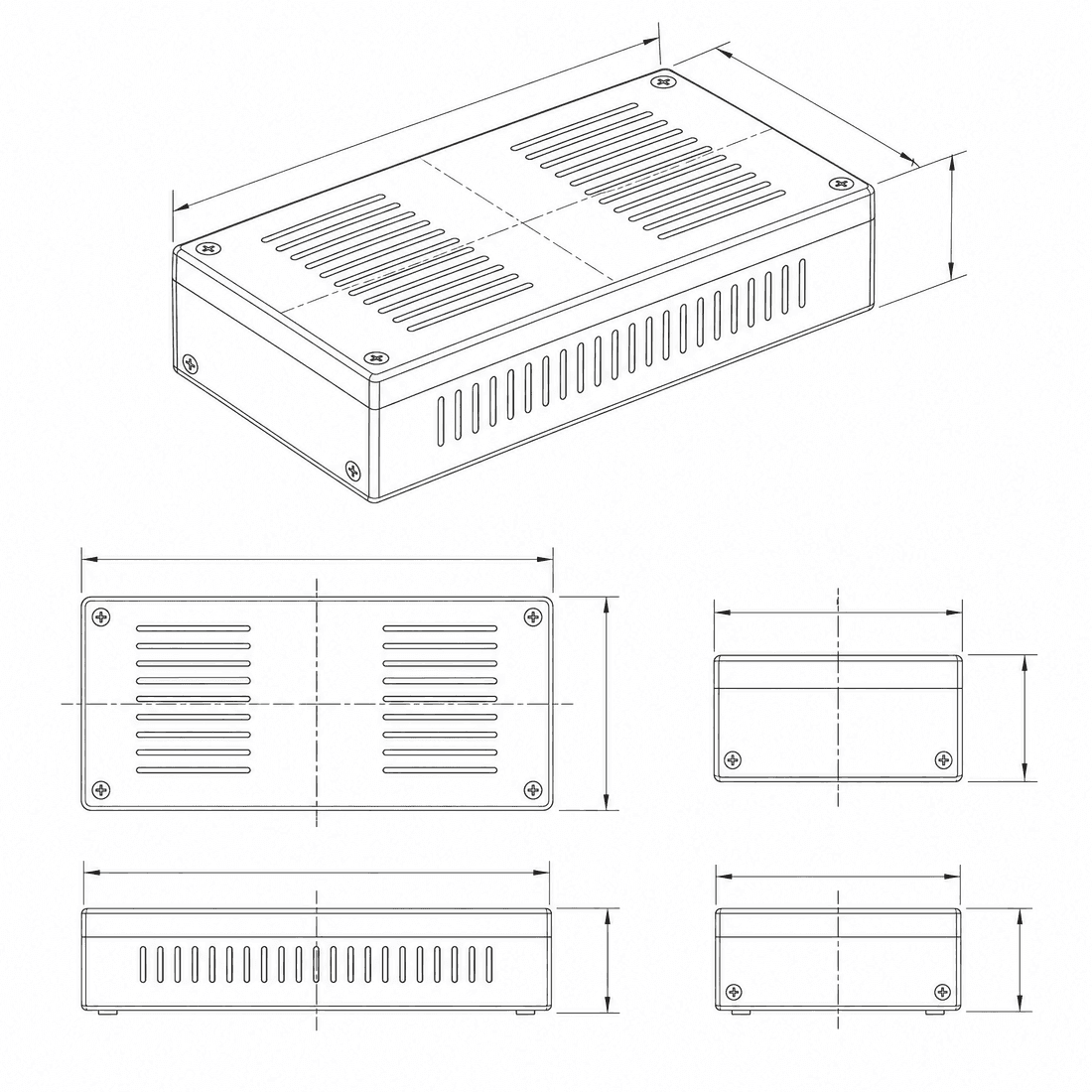 Enclosure form: two-pieceExternal dimensions: 120 x 80 x 35Nominal wall thickness: 2.5mmVentilation strategy: side-slotsInternal mounting: pcb-bosses
Concept dimensions guide the prompt and visual only; they are not manufacturable CAD geometry or production drawings.
Configure an enclosure drawing
More parameters
الكلمات المولدة
Create a dimensioned CAD-style technical drawing of an electronics enclosure, showing the housing split, wall construction, internal mounting features, ports, ventilation, closure details, and exploded and sectioned views. rectangular two-piece desktop enclosure with a recessed removable lid. External dimensions: 120 x 80 x 35. Nominal wall thickness: 2.5mm. two symmetric banks of louvered side ventilation slots with an internal splash baffle. four reinforced PCB screw bosses with filleted ribs and controlled standoff height. four corner lid screws into reinforced bosses with captive screw recesses.
Enclosure CAD-style examples
الأسئلة الشائعة
Can DrawCAD verify an IP rating?
No. A visual gasket or cable-gland concept does not establish an ingress-protection rating; sealing geometry, materials, tolerances, assembly, and testing all matter.
How do I show internal PCB mounting features?
Specify board dimensions, mounting-hole locations, standoff height, connector positions, and request a cutaway or exploded image.
Is the enclosure output ready for molding or printing?
No. DrawCAD provides CAD-style images, not draft-checked solids, tooling data, toleranced STEP files, or printable STL geometry.
هل تحتاج إلى المزيد من مرات التوليد؟
بعد الترقية، ستحصل على المزيد من النقاط ودقة أعلى وإمكانية التصدير بدون علامة مائية.