
Flux 2 Pro CAD Generator
Flux 2 Pro is the model to reach for when edge quality matters. It holds chamfers, fillet radii, and counterbore steps cleanly instead of smoothing them away, accepts reference images, and outputs up to 2K for 6 credits per generation.
الإخراج: CAD نمط PNG · ملف غير قابل للتحرير CAD
Best uses
Prompts that play to Flux 2 Pro
Name the edge treatments explicitly. Flux 2 Pro rewards prompts that call out chamfers, fillet radii, counterbores, and where a section should be cut.
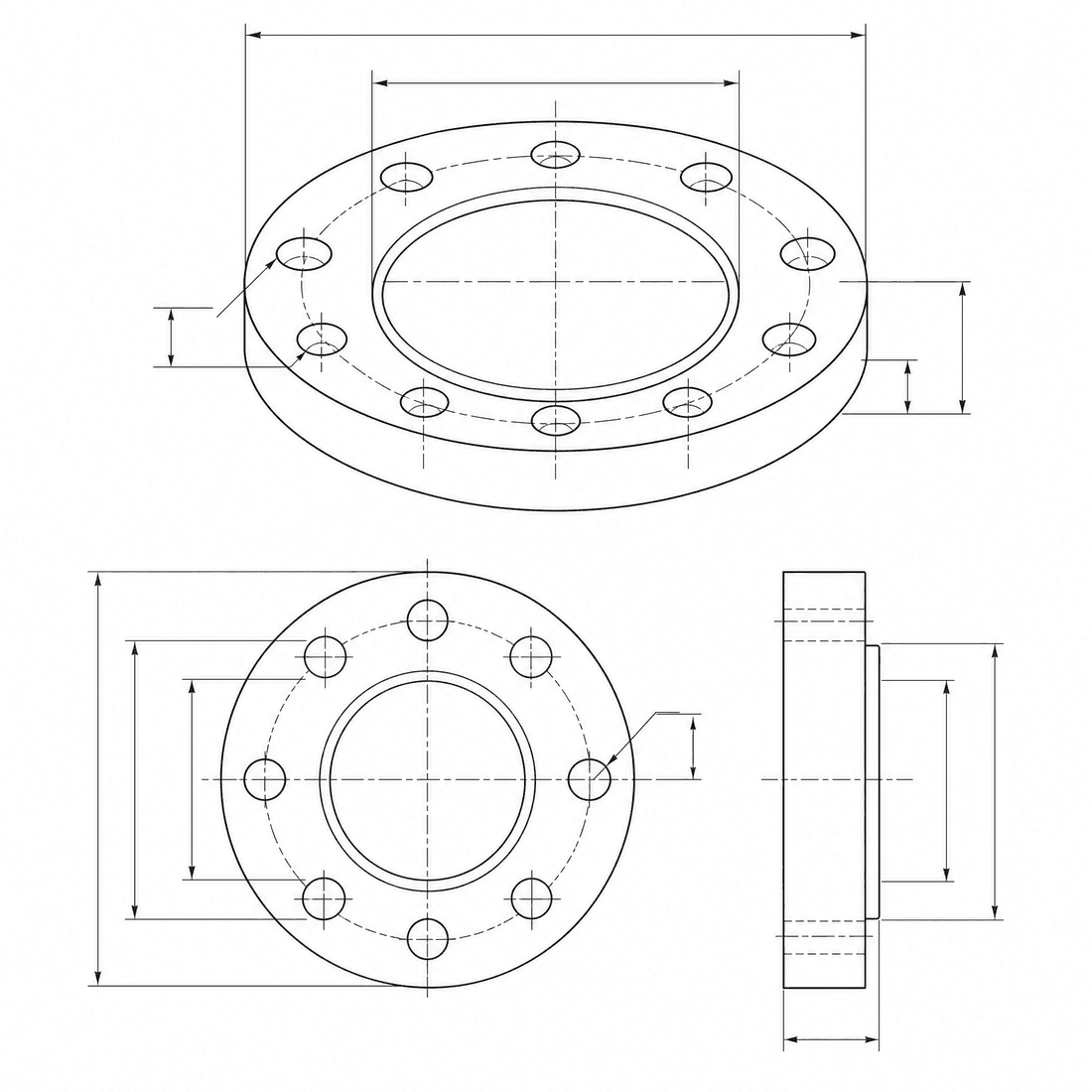
Chamfered valve body
A machined valve body with sharp chamfers, resolved fillet radii, counterbored mounting holes, and a threaded side port, clean isometric CAD drawing with two enlarged edge details
قدرات النموذج
تقوم القدرات التالية بقراءة إعدادات النموذج التي يستخدمها المولد حاليًا بشكل مباشر.

Flux 2 Pro
2K- النقاط الممنوحة لكل صورة
- 6
- الوقت المتوقع
- 15-40s
- وضع الإدخال
- تحويل النص إلى CAD + تحويل الرسم التخطيطي إلى CAD
- عدد الصور المرجعية
- 8
- الحد الأقصى لعدد الأحرف في الكلمة المفتاحية
- لم يتم تحديده
Flux 2 Pro edge-quality brief
Spell out the chamfers, fillets, and counterbores you want held, then send the brief to Flux 2 Pro.
More parameters
الكلمات المولدة
Create a clean CAD-style drawing with precisely resolved edge treatments. a machined valve body. 1 mm outside chamfers combined with 3 mm internal fillets. Key features: counterbored mounting holes and a threaded side port. two enlarged detail circles showing the edge treatments. clean technical drawing with precise linework. landscape 4:3 composition.
Flux 2 Pro output ideas
الأسئلة الشائعة
How many credits does Flux 2 Pro use?
Each Flux 2 Pro generation uses 6 credits, the same as GPT Image 2 inside DrawCAD.
What resolution can Flux 2 Pro produce?
Flux 2 Pro supports 1K and 2K output. It does not offer a 4K tier; use Wan 2.7 Image or DrawCAD 2.0 for larger renders.
Can Flux 2 Pro use reference images?
Yes. It accepts up to 8 reference images, so you can guide the result with a sketch, a photo of an existing part, or a previous generation.
Does Flux 2 Pro output editable CAD files?
No. Like every DrawCAD model it produces CAD-style images for concepts, documentation, and presentations, not STEP, STL, or DWG files.
هل تحتاج إلى المزيد من مرات التوليد؟
بعد الترقية، ستحصل على المزيد من النقاط ودقة أعلى وإمكانية التصدير بدون علامة مائية.