
Turbine CAD Drawing Generator
Set blade count, rotor diameter, hub bore, keyway, and blade angle, and DrawCAD renders a CAD-style turbine or impeller image for turbomachinery concepts, teaching material, and technical presentations.
الإخراج: CAD نمط PNG · ملف غير قابل للتحرير CAD
How to generate a turbine drawing
Turbine drawing prompts
Start from a rotor family, then change blade count, outer diameter, hub bore, and whether the rotor is shrouded or open.
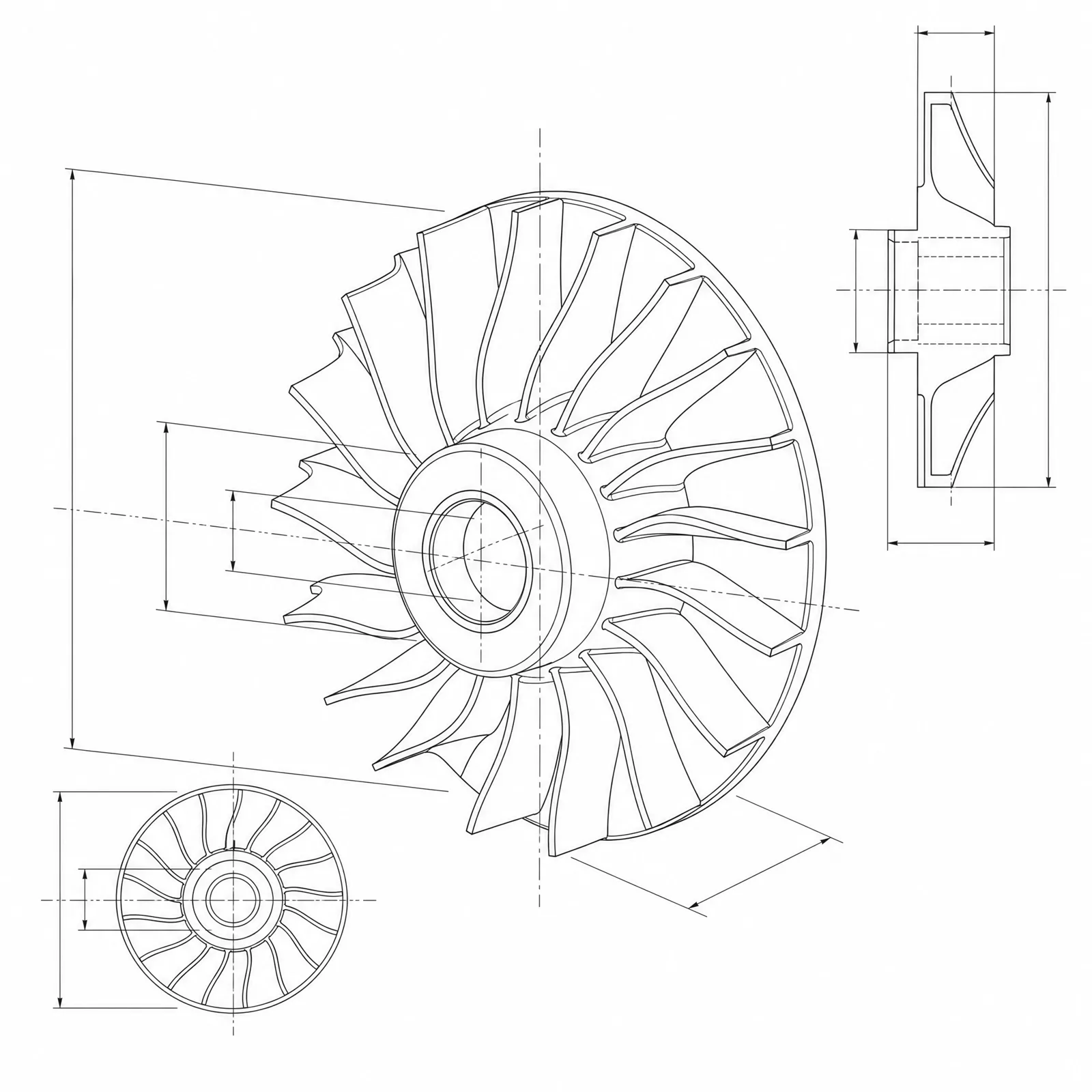 Rotor family: radial-inflowOuter diameter: 120mmBlade count: 13bladesBlade thickness: 2.5mmHub diameter: 45mm
Concept dimensions guide the prompt and visual only; they are not manufacturable CAD geometry or production drawings.
Configure a turbine drawing
More parameters
الكلمات المولدة
Create a dimensioned CAD-style technical drawing of a turbine rotor, showing blade count, outer diameter, hub and bore geometry, blade root fillets, and coherent front, section, and isometric views. radial inflow turbine rotor with curved blades sweeping from a radial inlet to an axial exducer. Outer diameter: 120mm. Blade count: 13blades. Blade thickness: 2.5mm. Hub diameter: 45mm. Shaft bore: 20mm. a standard parallel keyway in the bore with the key width and depth over the opposite bore wall dimensioned. open unshrouded rotor with the full blade profile and tip clearance visible from the front.
Turbine CAD-style examples
الأسئلة الشائعة
Are the blade angles aerodynamically correct?
No. The image renders a plausible blade shape, but inlet and outlet angles, camber, and thickness distribution come from a turbomachinery design process and CFD, not from image generation.
Can it draw a shrouded impeller?
Yes. Say shrouded and ask for a section view. That is what exposes the covered flow passage, blade heights, and shroud wall thickness.
Can I export this as a STEP model for casting or balancing?
No. DrawCAD produces CAD-style images only. Blade surfaces for casting, five-axis machining, or rotor balancing must be modeled and verified in engineering CAD.
هل تحتاج إلى المزيد من مرات التوليد؟
بعد الترقية، ستحصل على المزيد من النقاط ودقة أعلى وإمكانية التصدير بدون علامة مائية.