
Flux 2 Pro CAD Generator
Flux 2 Pro is the model to reach for when edge quality matters. It holds chamfers, fillet radii, and counterbore steps cleanly instead of smoothing them away, accepts reference images, and outputs up to 2K for 6 credits per generation.
出力: CAD スタイル PNG · 編集不可 CAD ファイル
Best uses
Prompts that play to Flux 2 Pro
Name the edge treatments explicitly. Flux 2 Pro rewards prompts that call out chamfers, fillet radii, counterbores, and where a section should be cut.
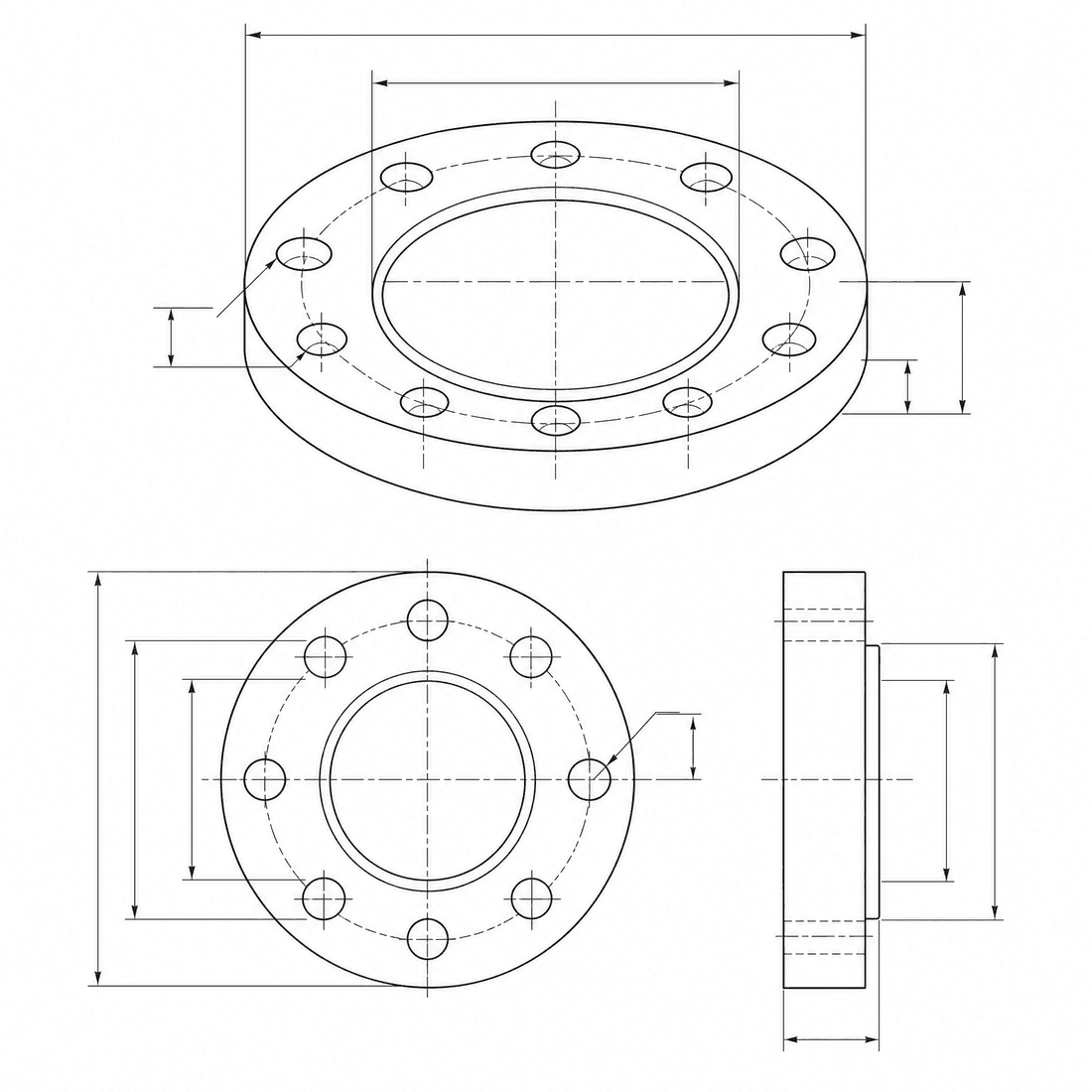
Chamfered valve body
A machined valve body with sharp chamfers, resolved fillet radii, counterbored mounting holes, and a threaded side port, clean isometric CAD drawing with two enlarged edge details
モデルの性能
以下の機能は、ジェネレータが現在使用しているモデル設定を直接読み取ります。

Flux 2 Pro
2K- 各画像のポイント
- 6
- 所要時間の見込み
- 15-40s
- 入力モード
- テキスト変換 CAD + スケッチを CAD に変換
- 参考図の数
- 8
- プロンプトの最大文字数
- 指定なし
Flux 2 Pro edge-quality brief
Spell out the chamfers, fillets, and counterbores you want held, then send the brief to Flux 2 Pro.
More parameters
生成されたプロンプト
Create a clean CAD-style drawing with precisely resolved edge treatments. a machined valve body. 1 mm outside chamfers combined with 3 mm internal fillets. Key features: counterbored mounting holes and a threaded side port. two enlarged detail circles showing the edge treatments. clean technical drawing with precise linework. landscape 4:3 composition.
Flux 2 Pro output ideas
よくある質問
How many credits does Flux 2 Pro use?
Each Flux 2 Pro generation uses 6 credits, the same as GPT Image 2 inside DrawCAD.
What resolution can Flux 2 Pro produce?
Flux 2 Pro supports 1K and 2K output. It does not offer a 4K tier; use Wan 2.7 Image or DrawCAD 2.0 for larger renders.
Can Flux 2 Pro use reference images?
Yes. It accepts up to 8 reference images, so you can guide the result with a sketch, a photo of an existing part, or a previous generation.
Does Flux 2 Pro output editable CAD files?
No. Like every DrawCAD model it produces CAD-style images for concepts, documentation, and presentations, not STEP, STL, or DWG files.
さらに生成回数を増やしたいですか?
アップグレードすると、より多くのポイント、より高い解像度、そして透かしのないエクスポートが可能になります。