
Seedream 5.0 Pro CAD Generator
Seedream 5.0 Pro holds up when a drawing gets busy. It keeps many components legible in one sheet, handles section hatching and leader lines without smearing them together, accepts up to 10 reference images, and costs 8 credits per generation.
Saída: CAD Estilo PNG · Não é um arquivo editável CAD
Best uses
Prompts that play to Seedream 5.0 Pro
Give it more to draw. Seedream 5.0 Pro is at its best on sectioned assemblies, exploded views, and sheets carrying several components at once.
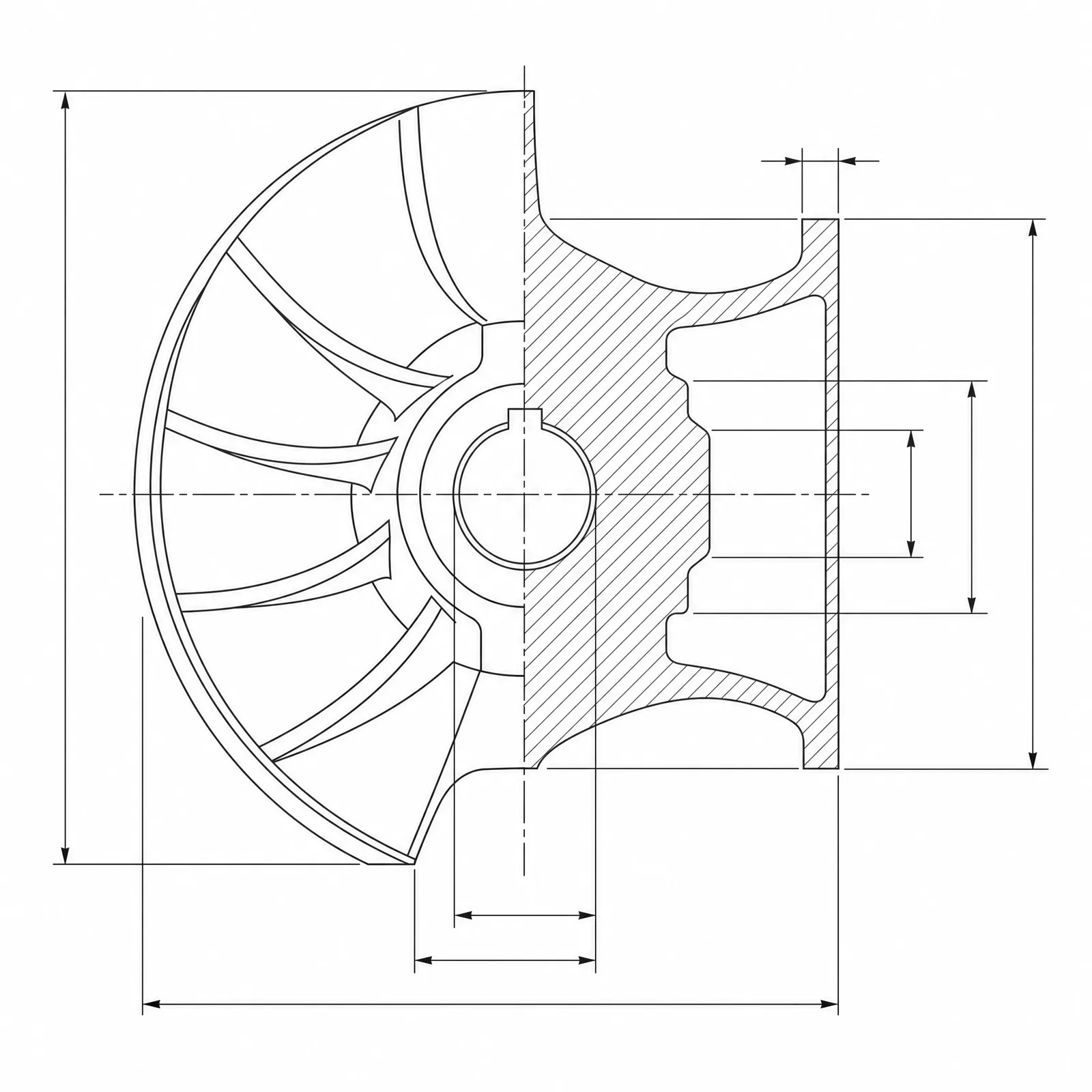
A centrifugal impeller shown as a half section through the hub with hatched cut faces, blade roots, shroud thickness, and a keyed shaft bore, densely dimensioned
Capacidade do modelo
As seguintes funções leem diretamente a configuração do modelo atualmente utilizada pelo gerador.

Seedream 5.0 Pro
1K- Pontuação por imagem
- 8
- Tempo estimado
- 15-40s
- Modo de entrada
- Conversão de texto para CAD + Esboço convertido em CAD
- Número de figuras de referência
- 10
- Número máximo de caracteres na palavra-chave
- Não especificado
Seedream 5.0 Pro assembly kit
Assemble a busy drawing brief — components, presentation, and section treatment — for Seedream 5.0 Pro.
More parameters
Palavras-chave geradas
Create a detailed CAD assembly drawing that keeps every component legible. a multi-part linear actuator. shown as a half section with hatched cut faces. Components: leadscrew, bearings, motor mount, and fasteners. dense dimension lines and leader lines throughout. clean technical drawing with precise linework. wide 16:9 composition.
Seedream 5.0 Pro output ideas
Perguntas frequentes
How many credits does Seedream 5.0 Pro use?
Each Seedream 5.0 Pro generation uses 8 credits, reflecting its higher upstream cost than Flux 2 Pro or GPT Image 2.
When should I pick Seedream 5.0 Pro over GPT Image 2?
Pick Seedream 5.0 Pro when the drawing is crowded: multi-part assemblies, exploded views, or sheets with several views and heavy dimensioning.
How many reference images does it accept?
Up to 10, which is useful when several existing parts need to appear together in one assembly drawing.
Does Seedream 5.0 Pro output editable CAD files?
No. It produces CAD-style images for concepts, documentation, and presentations, not STEP, STL, or DWG files.
Precisa de mais tentativas?
Após a atualização, você terá acesso a mais pontos, maior resolução e exportação sem marca d’água.