
手机支架 CAD 图生成器
描述观看角度、托架、铰链、充电路径、底座和调节机构,把手机支架想法转化为精致的 CAD 风格产品图像。
输出:CAD 风格 PNG · 不是可编辑 CAD 文件
如何生成手机支架图
手机支架绘图提示词
尝试折叠、配重、夹持和平板拼装结构,再调整设备适配和机构。
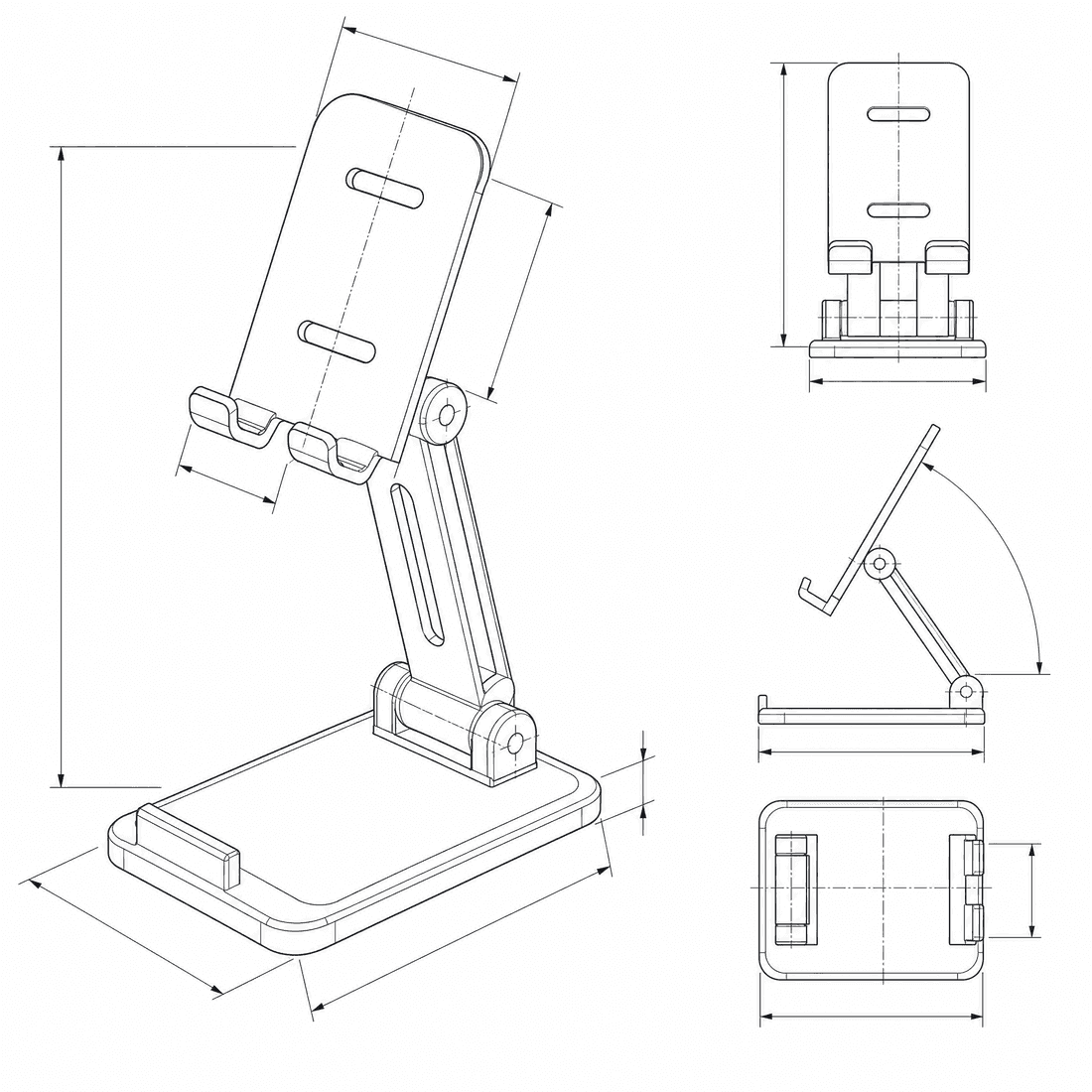 支撑机构: folding-hinge最大设备宽度: 82mm标称观看角度: 65deg充电与走线路径: bottom-slot主体材料: aluminum
概念尺寸仅用于提示词和视觉沟通,不构成可制造 CAD 几何或生产图。
配置手机支架图
更多参数
生成的提示词
Create a polished dimensioned CAD-style product drawing of a phone stand, showing the device support envelope, adjustment mechanism, base, anti-slip surfaces, charging access, assembled view, and mechanism detail. foldable stand with a torque-controlled friction hinge and flat storage position. Maximum device width: 82mm. Nominal viewing angle: 65deg. centered bottom charging-cable slot with rear strain-relief channel. machined anodized aluminum body with elastomer contact pads. low weighted base with four non-slip rubber feet.
手机支架 CAD 风格示例
常见问题
可以按特定手机尺寸设计吗?
可以。请在提示词中加入设备宽度、厚度、圆角、保护壳余量和充电口位置。
图像能证明支架稳定吗?
不能。稳定性取决于重心、材料、摩擦、铰链扭矩和底座质量,需要另行制作原型并测试。
DrawCAD 会输出可打印的手机支架模型吗?
不会。它生成 CAD 风格图像,不是可编辑或制造级 STEP/STL 几何;制造前需要在 CAD 中重建并验证。
需要更多生成次数?
升级后可获得更多积分、更高分辨率和无水印导出。