
Heatsink CAD Drawing Generator
Describe fin pitch, fin height, base thickness, and the mounting pattern, and DrawCAD renders a clean CAD-style heatsink image for thermal concept reviews, datasheets, and enclosure airflow studies.
출력: CAD 스타일 PNG · 편집 불가능한 CAD 파일
How to generate a heatsink drawing
Heatsink drawing prompts
Pick a fin architecture first, then swap in your own footprint, fin count, pitch, and mounting interface.
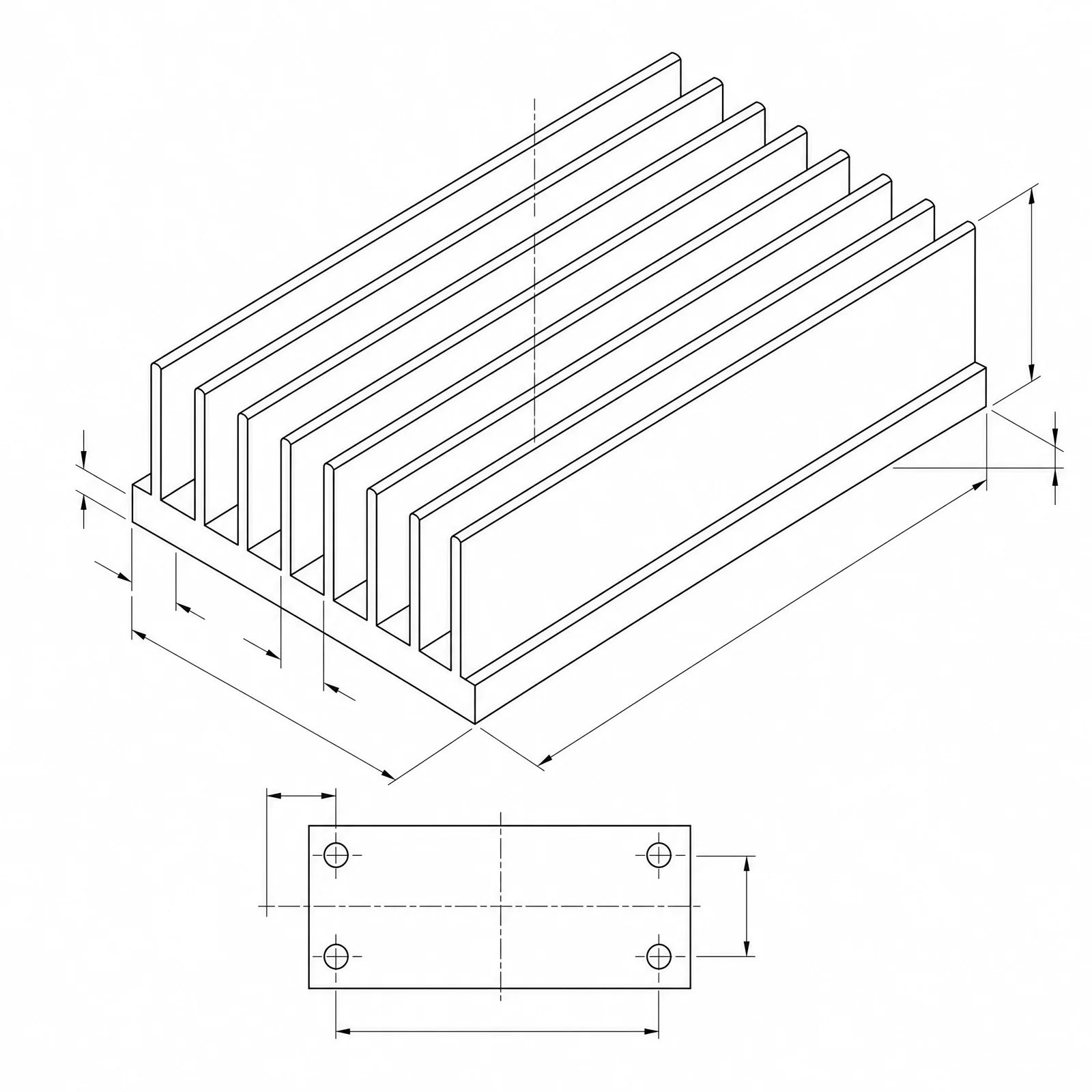 Fin architecture: extrudedBase length: 120mmBase width: 80mmBase thickness: 6mmFin height: 30mm
Concept dimensions guide the prompt and visual only; they are not manufacturable CAD geometry or production drawings.
Configure a heatsink drawing
More parameters
생성된 프롬프트
Create a dimensioned CAD-style technical drawing of a heatsink, with coherent orthographic and isometric views, visible fin pitch, base thickness, mounting holes, and clear leader dimensions. extruded aluminum heatsink with straight parallel fins drafted 1 degree per side and a continuous base. Base length: 120mm. Base width: 80mm. Base thickness: 6mm. Fin height: 30mm. Fin pitch: 5.5mm. sized for forced air from an axial fan, with the fan footprint and airflow direction arrows along the fin channels. four M4 clearance holes at the base corners with 8 mm edge distance and counterbores on the fin side.
Heatsink CAD-style examples
자주 묻는 질문
Can DrawCAD calculate thermal resistance?
No. The image communicates fin geometry and proportions, but the actual degrees C per watt depends on airflow, material conductivity, interface resistance, and mounting pressure. Get that number from a thermal solver or a bench test.
How do I show fin pitch clearly?
Ask for an end or section view and state fin count, fin thickness, and center-to-center pitch. A top view on its own tends to flatten the fin channels and hide the spacing.
Can I get an extrusion profile file for tooling?
No. DrawCAD outputs CAD-style images, not editable STEP or DXF profiles or die drawings. Redraw and verify the profile in CAD before quoting an extrusion die.
더 많은 생성 횟수가 필요하신가요?
업그레이드하면 더 많은 포인트, 더 높은 해상도, 워터마크 없는 파일 내보내기 기능을 이용할 수 있습니다.