
涡轮 CAD 图生成器
设定叶片数、转子外径、轮毂孔径、键槽和叶片角度,DrawCAD 会生成 CAD 风格涡轮或叶轮图像,适用于叶轮机械概念、教学资料和技术展示。
输出:CAD 风格 PNG · 不是可编辑 CAD 文件
如何生成涡轮图
涡轮绘图提示词
先选转子类型,再修改叶片数、外径、轮毂孔径,以及是闭式(带盖板)还是开式。
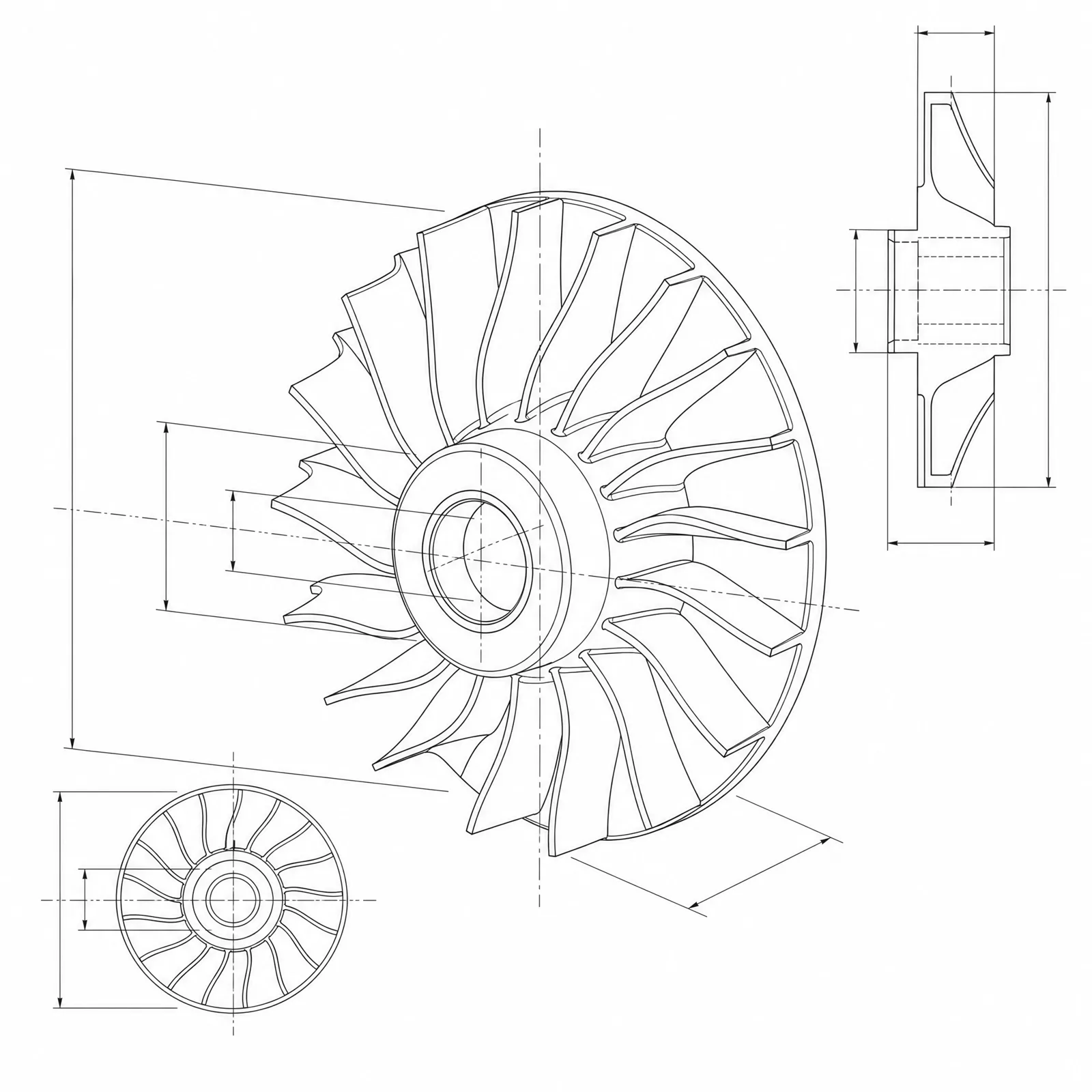 转子类型: radial-inflow转子外径: 120mm叶片数: 13blades叶片厚度: 2.5mm轮毂直径: 45mm
概念尺寸仅用于提示词和视觉沟通,不构成可制造 CAD 几何或生产图。
配置涡轮图
更多参数
生成的提示词
Create a dimensioned CAD-style technical drawing of a turbine rotor, showing blade count, outer diameter, hub and bore geometry, blade root fillets, and coherent front, section, and isometric views. radial inflow turbine rotor with curved blades sweeping from a radial inlet to an axial exducer. Outer diameter: 120mm. Blade count: 13blades. Blade thickness: 2.5mm. Hub diameter: 45mm. Shaft bore: 20mm. a standard parallel keyway in the bore with the key width and depth over the opposite bore wall dimensioned. open unshrouded rotor with the full blade profile and tip clearance visible from the front.
涡轮 CAD 风格示例
常见问题
叶片角度在气动上准确吗?
不准确。图像画出的是形态合理的叶型,但进出口角、中弧线和厚度分布来自叶轮机械设计流程和 CFD,图像生成无法替代。
可以画闭式(带盖板)叶轮吗?
可以。写明「闭式 / 带盖板」并要求剖视图,只有剖视图才能露出被盖住的流道、叶高和盖板壁厚。
可以导出 STEP 模型用于铸造或动平衡吗?
不可以。DrawCAD 只生成 CAD 风格图像。用于铸造、五轴加工或转子动平衡的叶片曲面必须在工程 CAD 中建模并校核。
需要更多生成次数?
升级后可获得更多积分、更高分辨率和无水印导出。